Choosing the Right AI Resume Builder: 10 Features That Actually Matter

Choosing the Right AI Resume Builder: 10 Features That Actually Matter
The market is flooded with "AI resume builders." Some use genuine machine learning to transform your job search. Others slap an AI label on basic templates and call it innovation.
This guide cuts through the marketing to identify the features that actually improve outcomes—and the red flags that indicate a tool isn't worth your time.
Feature 1: Real Job Description Analysis
What to look for: The tool should ingest actual job postings and provide specific optimization suggestions based on that particular role.
How to test: Paste a job description. Does the tool identify specific skills, requirements, and keywords from that posting? Or does it give generic advice that could apply to any job?
Red flag: "AI optimization" that doesn't change meaningfully between different job postings isn't real optimization—it's marketing.
Why it matters: Every job posting is different. Generic optimization means you're optimized for nothing.
Feature 2: Quantified Fit Scoring
What to look for: A numerical score (like a percentage) showing how well your resume matches a specific job, with breakdown by category (skills, experience, keywords).
How to test: Check if your score changes when you modify your resume. Does it increase when you add relevant content? Does it decrease when you remove key information?
Red flag: Vague assessments like "Good match!" without specific metrics. Or scores that seem to stay the same regardless of changes.
Why it matters: You need to know where you stand before applying. Objective measurement enables strategic improvement.
Feature 3: ATS Compatibility Verification
What to look for: Specific checks for formatting issues that cause ATS parsing failures: invisible characters, problematic fonts, header/footer content, table structures.
How to test: Submit a resume with known issues (like a table layout) and see if the tool catches them. Then submit a clean version and confirm it passes.
Red flag: Tools that only offer "ATS-friendly templates" without actually scanning your content for problems.
Why it matters: A beautiful template won't help if your content doesn't parse correctly.
Feature 4: Achievement Writing Assistance
What to look for: AI that helps you transform task descriptions into achievement statements, with suggestions for metrics and impact framing.
How to test: Enter a bland bullet point like "Managed social media accounts." Does the tool help you transform it into something like "Grew social media engagement by 150% across 3 platforms, generating 50K new followers and $200K in attributed revenue"?
Red flag: AI that only checks spelling/grammar but doesn't help with content quality.
Why it matters: The difference between "responsible for" and "achieved, measured, delivered" is the difference between forgettable and compelling.
Feature 5: Multiple Version Management
What to look for: Easy creation and management of multiple resume versions, ideally linked to specific job applications.
How to test: Can you create three versions for three different roles and easily switch between them? Can you track which version you sent where?
Red flag: Tools that assume you'll only ever need one resume version.
Why it matters: You should be tailoring your resume for every application. If the tool doesn't support this, it's encouraging a losing strategy.
Feature 6: Work History Centralization
What to look for: A master repository of all your experiences, achievements, and skills that can be selectively included in different resume versions.
How to test: Enter 10 different experiences. Can you easily create one resume with 5 and another with a different 5? Is content reusable without re-entry?
Red flag: Having to re-enter information every time you create a new version.
Why it matters: Your work history is an asset. Entering it once and remixing it intelligently saves hours over time.
Feature 7: Export Flexibility
What to look for: Export to PDF, Word (.docx), and plain text. Formatting should be preserved accurately across formats.
How to test: Export to all formats and compare. Does the PDF match the preview? Does the Word doc maintain layout? Is plain text readable and logically ordered?
Red flag: PDF-only export (some ATS can't read PDFs) or exports that don't match the preview.
Why it matters: Different application systems require different formats. Inflexibility creates friction.
Feature 8: Actionable Improvement Suggestions
What to look for: Specific, prioritized recommendations for improvement—not just identification of problems but suggested solutions.
How to test: After analysis, does the tool tell you exactly what to do? "Add Python to your skills section" is actionable. "Consider improving your skills section" is useless.
Red flag: Vague feedback without specific recommendations.
Why it matters: You need to know what to do next, not just that something is wrong.
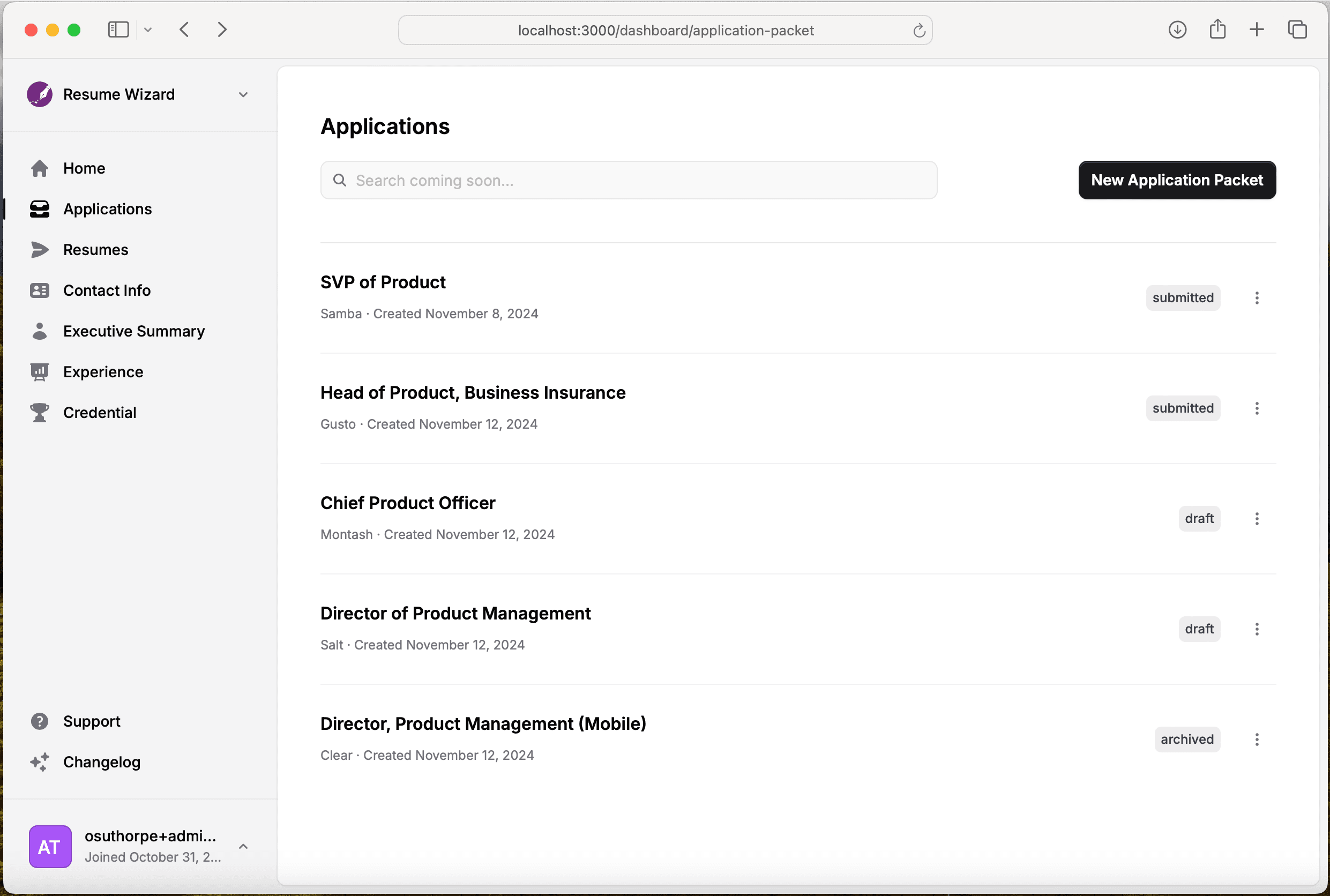
Feature 9: Application Tracking Integration
What to look for: The ability to track which jobs you've applied to, with which resume version, and the outcome.
How to test: Can you log an application and see your history? Bonus: does the tool learn from outcomes to improve future recommendations?
Red flag: Resume tools that exist in isolation from the actual application process.
Why it matters: Resume optimization and job applications are part of the same workflow. Separating them creates inefficiency.
Feature 10: Real Speed Improvement
What to look for: The tool should make creating a tailored resume genuinely faster than doing it manually—measured in minutes, not hours.
How to test: Time yourself creating a tailored resume with and without the tool. The difference should be substantial (5-10x faster is reasonable for a good tool).
Red flag: Complicated interfaces that add friction rather than removing it.
Why it matters: The entire point is efficiency. If the tool is slow, you'll stop using it—and return to sending generic resumes.
Evaluation Checklist
Before committing to any AI resume builder, verify:
| Feature | Question | Your Answer | |---------|----------|-------------| | Job Analysis | Does it analyze specific job postings? | ☐ Yes ☐ No | | Fit Score | Does it give specific match percentages? | ☐ Yes ☐ No | | ATS Check | Does it scan for formatting problems? | ☐ Yes ☐ No | | Writing Help | Does it improve your achievement statements? | ☐ Yes ☐ No | | Versions | Can you manage multiple targeted resumes? | ☐ Yes ☐ No | | Central History | Is your experience stored for reuse? | ☐ Yes ☐ No | | Export Options | Can you export to PDF, Word, and text? | ☐ Yes ☐ No | | Actionable | Are improvement suggestions specific? | ☐ Yes ☐ No | | Tracking | Can you track applications and outcomes? | ☐ Yes ☐ No | | Speed | Is it genuinely faster than manual? | ☐ Yes ☐ No |
Minimum viable tool: 7+ features Excellent tool: 9-10 features Skip it: Under 5 features
The Investment Perspective
Think about the math:
- Average time to find a new job: 5-6 months
- Cost of extended job search: Lost income, stress, opportunity cost
- Time spent on suboptimal resumes: Hours per application
A tool that improves your callback rate by even 20% and cuts resume preparation time by 80% pays for itself almost immediately.
The question isn't whether to invest in proper tools. It's whether you can afford not to.
See all 10 features in action. Try Resume Wizard and experience what a complete AI resume solution looks like.